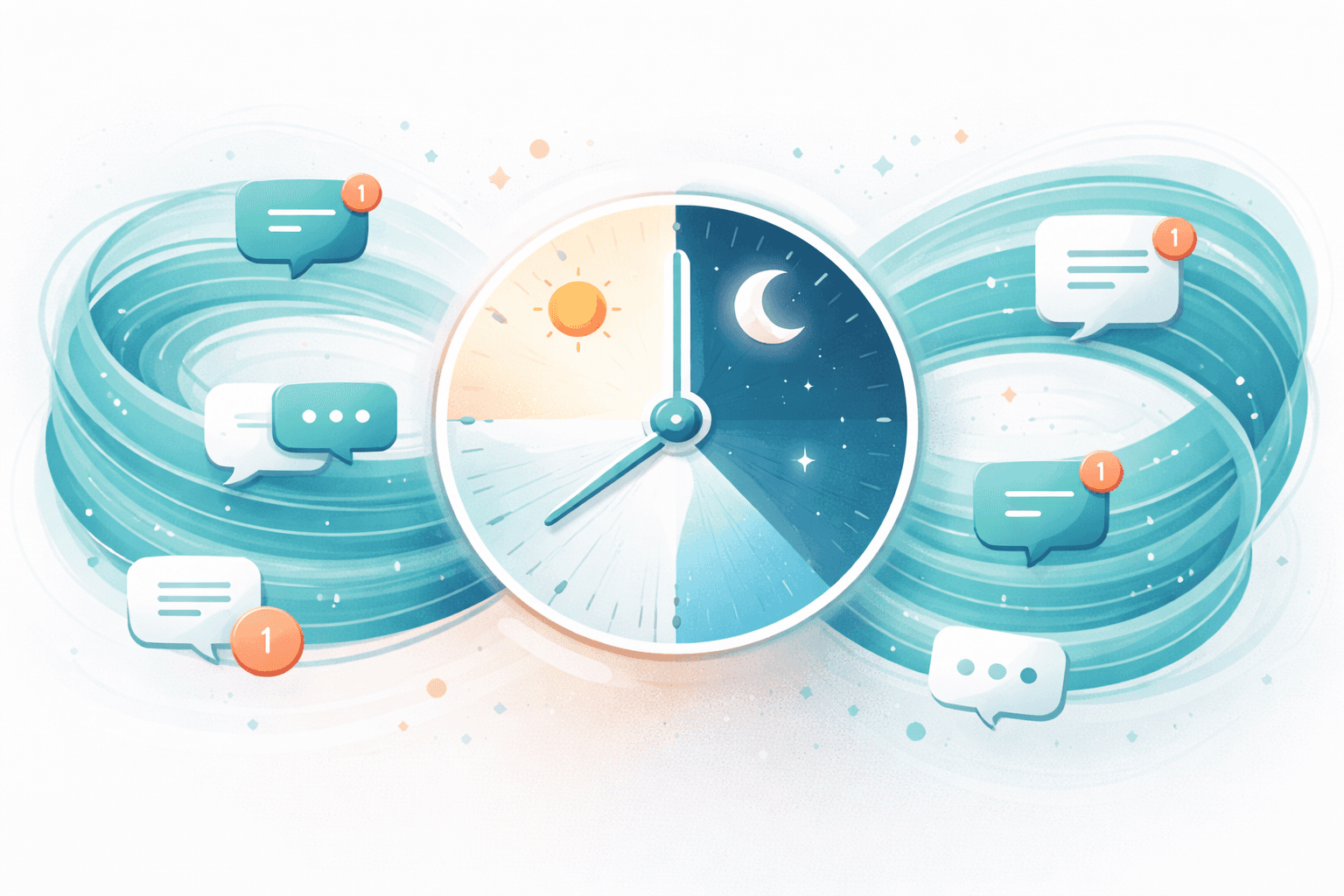
How to Handle Customer Enquiries 24/7 Without Hiring Night Staff
It's 11pm. You're finally unwinding after a long day. Then your phone buzzes. A potential customer asking about your services. You know responding now could win the business. You also know if you start working at 11pm, you'll never switch off.
Meanwhile, your competitor—who somehow has round-the-clock coverage—responds in minutes.
This scenario plays out nightly for small business owners across the UK. Customers don't stop having questions at 5pm. But hiring night staff isn't realistic when you're a team of one, two, or five.
The good news: you don't need night staff to provide 24/7 responsiveness. This guide shows you exactly how to handle customer enquiries around the clock without expanding your team or sacrificing your evenings.
Why 24/7 Responsiveness Matters
Before diving into solutions, let's be clear about what's at stake.
Speed Wins Business
Research consistently shows that response time dramatically affects conversion. Responding within five minutes makes you 21 times more likely to qualify a lead compared to responding after 30 minutes. After an hour, your chances drop further. By the next morning, that enquiry has likely gone to a faster competitor.
For many UK businesses, this creates an impossible situation. Prime enquiry times don't align with working hours. People research services during lunch breaks, commutes, and evenings—precisely when you're busy with existing clients or trying to have a life.
Customer Expectations Have Shifted
We live in an instant-gratification economy. Same-day delivery. Instant streaming. Real-time everything. Customers increasingly expect business communication to match this pace.
A 2025 survey found that 64% of consumers expect real-time responses to enquiries. "We'll get back to you within 24-48 hours" feels outdated when they're used to instant answers elsewhere.
After-Hours Enquiries Are Often High-Intent
Someone researching services at 10pm is often highly motivated. They might be facing an urgent need, finally finding time to address something important, or comparing options before a decision. These aren't casual browsers—they're ready to act.
Losing these enquiries to slow response hurts disproportionately. You're not losing average leads; you're losing motivated ones.
The Real Cost of Limited Availability
Let's quantify what after-hours gaps actually cost.
Lost Leads
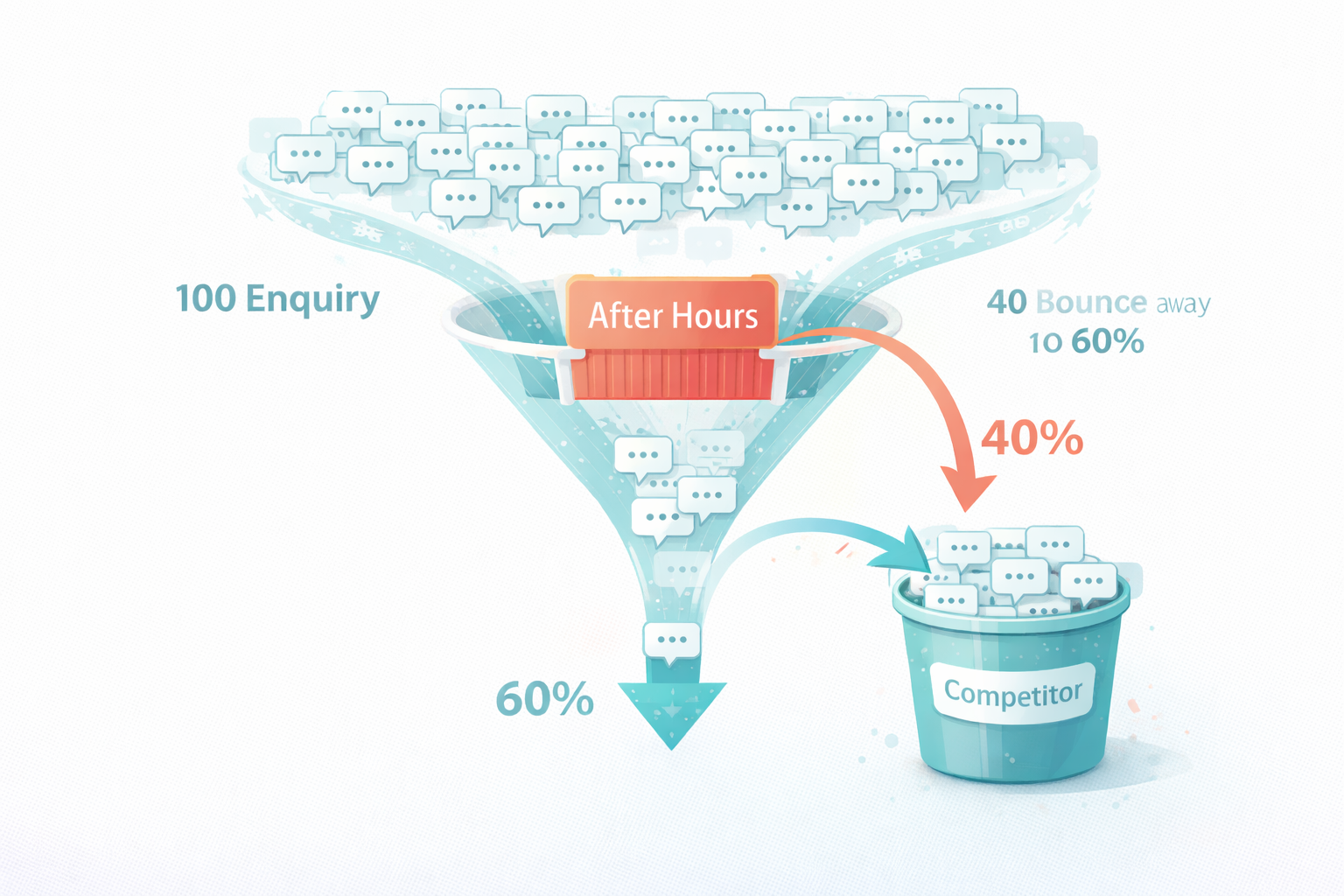
Estimate how many enquiries arrive outside your response hours. For most small businesses, 30-50% of website traffic and enquiries occur outside 9-5 hours.
If you receive 100 monthly enquiries and 40 arrive after hours, and your conversion rate on prompt responses is 15%, delayed after-hours responses might convert at just 5%. That's 4 conversions instead of 6—a 33% reduction in converted leads from after-hours traffic alone.
Reputation Impact
Slow responses create impressions. Customers wonder: "If they're this slow to respond before I'm a customer, how will they treat me after?" First response time shapes perception of your entire operation.
Competitor Advantage
Your competitors face the same challenge. Those who solve it gain advantage over those who don't. In competitive markets, 24/7 responsiveness becomes a differentiator.
Your Quality of Life
Perhaps less quantifiable but equally important: constantly monitoring enquiries destroys work-life boundaries. Checking your phone at dinner, responding from bed, never fully switching off—the toll adds up. Sustainable business requires sustainable practices.
Solution 1: Strategic Expectation Setting
The simplest starting point costs nothing and takes minutes to implement.
Clear Response Time Communication
If you won't respond instantly, say so clearly—and make the wait feel intentional rather than neglectful.
Website messaging: "Thanks for your interest! We respond to all enquiries within 4 business hours during weekdays. Enquiries received after 5pm or on weekends will receive a response by 10am the next working day."
This simple statement transforms perception. Without it, slow responses feel like poor service. With it, responses within the stated window feel professional and reliable.
Autoresponder Essentials
Configure email autoresponders and contact form confirmations that:
- Confirm receipt — "We've received your message"
- Set expectations — "You'll hear from us within [timeframe]"
- Provide immediate value — Link to FAQs, pricing guides, or other relevant information
- Offer alternatives — "For urgent matters, call [number] during business hours"
A good autoresponder can satisfy 30-40% of enquiries immediately by directing people to information that answers their questions.
Out-of-Hours Messaging
Phone systems, voicemail, and website chat should all acknowledge when you're unavailable and when you'll respond. Uncertainty frustrates people more than honest unavailability.
Limitations of this approach: Expectation setting helps manage perception but doesn't actually solve the responsiveness gap. Competitors who do respond quickly still have an advantage. This is a foundation, not a complete solution.
Solution 2: Self-Service Information
Many enquiries don't need human responses—they need information. Making that information accessible 24/7 resolves enquiries without any response delay.
Comprehensive FAQ Pages
Analyse your enquiries. What do people actually ask? Most businesses find that 60-70% of enquiries cluster around 10-15 common questions.
Build detailed FAQ content addressing each:
- Pricing and payment options
- Service areas and availability
- Process and timelines
- What's included/excluded
- Preparation or requirements
- Cancellation and refund policies
Good FAQ content doesn't just list answers—it anticipates follow-up questions and addresses objections.
Service and Pricing Transparency
"Contact us for a quote" creates friction. When possible, provide pricing guidance on your website—even if it's ranges or starting points.
"Kitchen installations typically range from £8,000-25,000 depending on size and specifications. Book a free consultation for an exact quote."
This transparency qualifies leads, sets realistic expectations, and satisfies many information-seeking enquiries.
Booking and Scheduling Access
If customers can self-book consultations, appointments, or services, they don't need to enquire and wait for a response. Online booking systems work around the clock.
Someone researching at 11pm can book a consultation for later that week without waiting for you to check your calendar and respond. Friction removed; appointment booked.
Video and Visual Content
Some questions are better shown than told. Walkthrough videos of your process, virtual tours, or photo galleries can address enquiries more effectively than text.
"How long does installation take?" — A 90-second video showing the process answers this better than any written description.
Limitations of this approach: Self-service handles information-seeking enquiries but not those requiring conversation, custom answers, or immediate assistance. It reduces enquiry volume but doesn't provide the responsiveness some customers need.
Solution 3: Intelligent Automation
This is where technology genuinely solves the 24/7 challenge for small businesses.
AI-Powered Response Systems
Modern AI can handle customer enquiries with remarkable capability. Unlike basic chatbots following rigid scripts, AI Workers understand natural language, interpret questions, and provide helpful responses.
An AI Worker can:
- Respond instantly at any hour
- Answer common questions accurately and naturally
- Collect information for follow-up (name, contact details, requirements)
- Qualify enquiries to identify serious prospects
- Book appointments directly into your calendar
- Escalate appropriately when human attention is needed
For most routine enquiries, customers can't tell they're interacting with AI. They get fast, helpful responses. You get qualified leads and information when you start work.
How AI Enquiry Handling Works
When a customer sends a message—via website chat, email, or contact form—the AI Worker:
- Understands the enquiry — Natural language processing identifies what they're asking
- Checks knowledge — References your business information, services, policies, and FAQs
- Responds helpfully — Provides a relevant, conversational answer
- Takes action if needed — Books appointments, collects details, or escalates complex issues
- Logs everything — You see the full conversation when you're back online
Setting Up AI Enquiry Handling
Implementation typically involves:
Initial configuration:
- Providing information about your services, pricing, processes, and policies
- Setting response tone and style to match your brand
- Defining what actions the AI can take (book appointments, collect information, etc.)
- Establishing escalation criteria for human handling
Integration:
- Connecting to your website chat
- Setting up email monitoring and response
- Linking to your calendar for booking
- Connecting to your CRM if applicable
Testing:
- Running test enquiries to verify responses
- Refining based on results
- Gradually expanding scope
Most small businesses can be running effective AI enquiry handling within 1-2 weeks.
Real Results from AI Implementation
Small businesses using AI for after-hours enquiries typically see:
- 90%+ of routine enquiries handled automatically
- Response times dropping from hours to seconds
- Lead capture rates increasing 30-50%
- Appointment bookings increasing 25-40%
- Owner time spent on enquiries dropping 50-70%
The combination of 24/7 availability and instant response transforms lead capture without requiring any additional staff.
Limitations of this approach: AI handles routine enquiries effectively but complex situations still benefit from human involvement. Setup requires investment of time and money. Quality depends on configuration and the underlying AI capability.
Solution 4: Strategic Human Backup
Some situations warrant human availability outside normal hours. Here are cost-effective approaches.
On-Call Arrangements
For genuinely urgent enquiries—emergency services, time-sensitive opportunities—on-call availability might be necessary.
Make it sustainable:
- Define "urgent" clearly — Not every enquiry justifies evening interruption
- Rotate if possible — Share on-call duties if you have partners or team members
- Compensate appropriately — On-call work deserves recognition
- Set boundaries — On-call doesn't mean constantly available for non-urgent matters
Part-Time Extended Coverage
A team member working 5-8pm weekdays extends your coverage into prime enquiry hours without requiring night staff. Even 15 hours weekly of extended coverage can capture significant after-hours demand.
This might be:
- An existing team member with adjusted hours
- A part-time hire specifically for evening coverage
- A virtual assistant working flexible hours
Outsourced Answering Services
Live answering services provide human responses to calls and sometimes messages outside your hours. They answer using your business name, follow your scripts, and take messages or book appointments.
Costs typically range from £50-200 monthly for basic coverage, scaling with call volume.
Good for businesses where phone enquiries dominate and human voice matters. Less effective for businesses where most enquiries come via web and email.
Limitations of these approaches: Human coverage costs money and has capacity limits. On-call arrangements affect quality of life. Outsourced services may lack depth of knowledge about your business.
Solution 5: The Hybrid Approach
The most effective setup for most small businesses combines multiple solutions strategically.
Recommended Configuration
Layer 1: Self-Service Foundation
- Comprehensive FAQ and service information
- Transparent pricing guidance
- Online booking for appointments
Layer 2: AI First Response
- AI Worker handles all incoming enquiries instantly
- Routine questions answered automatically
- Information collected for follow-up
- Appointments booked directly
- Complex enquiries flagged for human attention
Layer 3: Human Oversight
- Review AI conversations each morning
- Handle flagged complex issues personally
- Refine AI responses based on patterns
Layer 4: Escalation Path (if needed)
- Defined criteria for genuine urgency
- On-call availability for true emergencies
- Clear process for escalation
This layered approach handles 90%+ of enquiries automatically while preserving human attention for situations that genuinely need it.
Cost-Benefit of the Hybrid Model
Typical costs:
- Self-service setup: One-time investment of time (8-20 hours)
- AI Worker: £75-150/month
- Human review: 30-60 minutes daily
- On-call (if applicable): Variable
Typical benefits:
- 30-50% more enquiries captured
- 50-70% less time spent on enquiry handling
- True 24/7 responsiveness
- Evenings and weekends reclaimed
For most small businesses, the hybrid approach pays for itself within the first month through increased lead capture and time savings.
Implementation Roadmap
Here's how to build your 24/7 enquiry handling systematically.
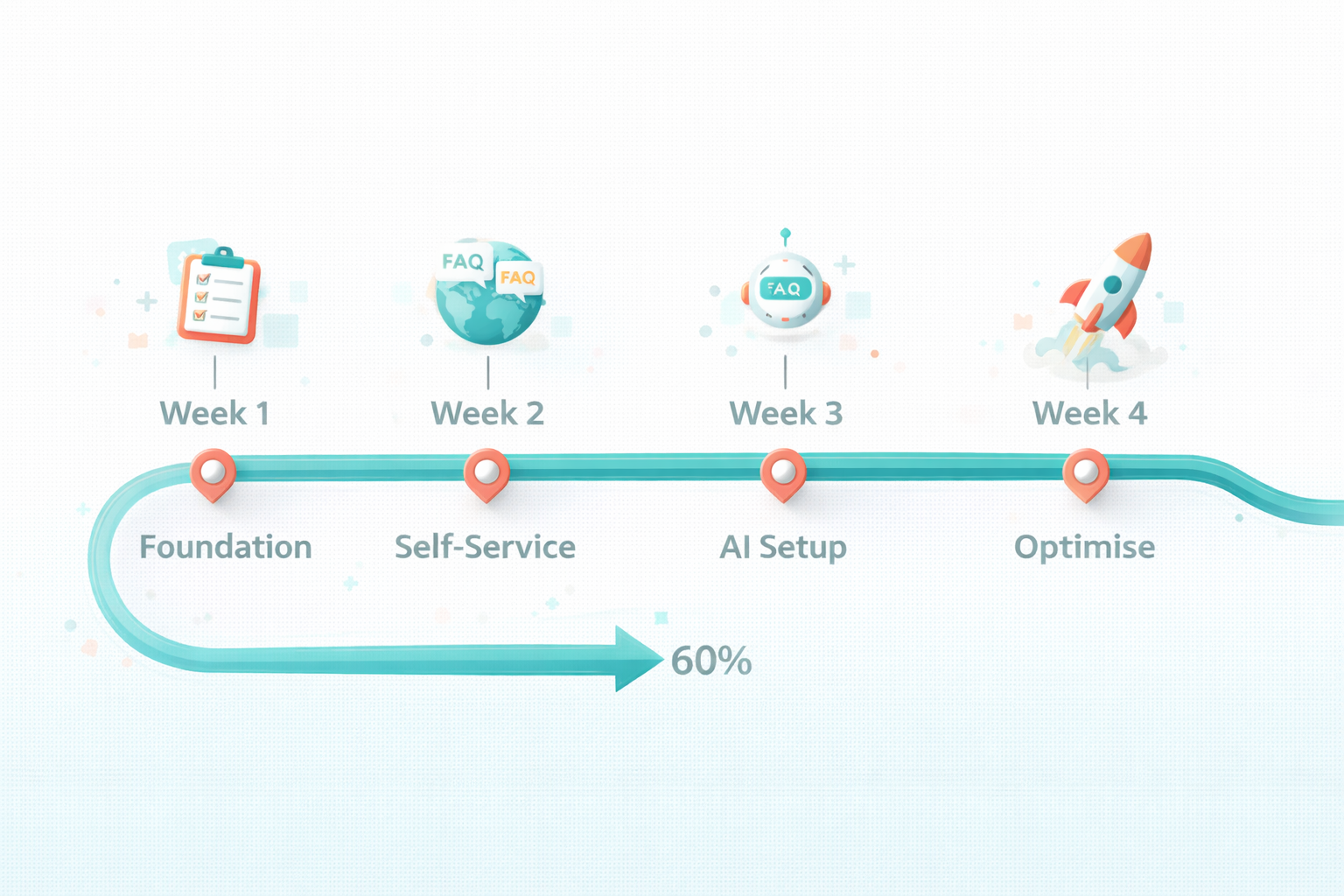
Week 1: Foundation
Audit current state:
- Where do enquiries come from? (Email, phone, chat, social)
- What times do they arrive?
- What are the most common questions?
- What's your current response time?
Set up basics:
- Configure autoresponders with clear expectations
- Update voicemail and out-of-hours messaging
- Ensure contact forms send confirmations
Week 2: Self-Service
Build FAQ content:
- Answer your 15 most common questions
- Include pricing guidance where possible
- Add process/timeline information
Enable self-booking:
- Set up Calendly or similar
- Define available appointment slots
- Connect to your calendar
Week 3: AI Implementation
Select and configure AI Worker:
- Choose platform suited to your needs
- Input business information and FAQs
- Set response tone and style
- Configure booking integration
Test thoroughly:
- Send test enquiries covering common scenarios
- Review and refine responses
- Test edge cases
Week 4: Optimise and Monitor
Go live with monitoring:
- Launch AI handling with oversight
- Review all conversations initially
- Identify patterns requiring refinement
Refine based on results:
- Improve responses that underperform
- Add information for recurring questions
- Adjust escalation criteria
Ongoing: Continuous Improvement
- Review AI performance weekly initially, then monthly
- Update information as your business evolves
- Expand AI capabilities as confidence grows
- Track metrics: response time, capture rate, customer satisfaction
Handling Specific Enquiry Types
Different enquiry types need different handling approaches.
Price Enquiries
Provide ranges or starting points where possible. Collect requirements for accurate quoting. Book quote consultations automatically. Flag complex pricing situations for human follow-up.
Availability and Booking
AI handles this perfectly. Real-time calendar access means instant booking confirmation. Waitlist management for fully booked periods. Automatic reminders reduce no-shows.
Technical or Complex Questions
AI answers from your knowledge base when possible. For genuinely complex questions, AI collects details and sets expectation for follow-up. Human reviews and responds during working hours.
Complaints or Sensitive Issues
Configure AI to recognise complaint indicators and respond empathetically while escalating for human attention. Never leave complaints to fully automated handling—human touch matters here.
Sales Enquiries
AI qualifies interest, answers questions, and books sales conversations. Serious prospects get scheduled with you directly rather than waiting for email volleyball.
Measuring Success
Track these metrics to assess your 24/7 handling effectiveness.
Response Time
- Average time from enquiry to first response
- Target: Under 5 minutes for AI-handled, same-day for human escalations
- Compare after-hours versus business-hours performance
Enquiry Resolution
- Percentage resolved without human involvement
- Percentage requiring escalation
- Resolution satisfaction (if you survey customers)
Lead Capture
- Enquiries received versus contact information captured
- Appointment booking rate
- Conversion from enquiry to customer
Efficiency
- Time spent on enquiry handling (before vs. after)
- Cost per enquiry handled
- Enquiries handled per hour of your time
Customer Satisfaction
- Response to satisfaction surveys
- Reviews mentioning responsiveness
- Repeat customer behaviour
Common Concerns Addressed
"Won't customers know it's AI?"
Quality AI communication is natural and conversational. Many customers don't realise—and those who do often don't mind, provided they get helpful answers quickly. Transparency is fine ("Our AI assistant can help you now, or I can follow up during business hours"), but often unnecessary.
"What if the AI says something wrong?"
AI works from information you provide. Errors typically stem from incomplete setup rather than AI malfunction. Review conversations regularly during initial implementation. Refine responses based on actual interactions. The error rate typically drops quickly with active management.
"Can AI handle my specific industry?"
AI Workers handle enquiries across virtually every industry. The setup process tailors responses to your specific services, terminology, and processes. Complex or regulated industries may require more careful configuration, but the technology is industry-agnostic.
"Is this impersonal?"
Fast, helpful responses feel more personal than slow, absent ones. AI enables responsiveness that feels attentive. For situations requiring genuine human connection, AI routes enquiries appropriately rather than attempting to handle everything.
"What about phone calls?"
AI primarily handles text-based communication—chat, email, contact forms. Phone handling requires separate solutions (AI voice systems exist but are less mature, or use human answering services). For most businesses, shifting enquiries toward text channels where AI excels makes sense anyway.
The Competitive Advantage
Small businesses implementing 24/7 AI enquiry handling gain advantages previously available only to larger competitors with staffed contact centres.
- You capture leads competitors miss during evenings and weekends
- Response speed creates positive first impressions before any human interaction
- Your time focuses on high-value activities rather than routine answers
- Customer experience improves through instant availability
- Your work-life balance recovers as you stop checking enquiries at all hours
The playing field levels. Business size matters less than business smartness.
Frequently Asked Questions
How quickly can I implement 24/7 enquiry handling?
Basic expectation setting and autoresponders take hours. Self-service content might take a few days. Full AI implementation typically takes 1-2 weeks from start to confident live operation. You don't need to implement everything at once—start with quick wins and build from there.
How much does 24/7 AI enquiry handling cost?
AI Worker platforms for small businesses typically cost £75-150 monthly. This provides 24/7 coverage handling hundreds or thousands of enquiries—far cheaper than any human alternative. The investment typically pays for itself within the first month through improved lead capture.
Will AI handle complex enquiries correctly?
AI handles routine enquiries excellently and recognises when to escalate complex ones for human attention. You control what the AI attempts to handle versus what it flags for you. Most businesses configure AI to handle 80-90% of enquiries automatically while routing the rest appropriately.
What happens when AI can't answer a question?
Well-configured AI acknowledges limitations gracefully: "That's a great question that deserves a detailed answer from our team. I've noted your enquiry, and someone will get back to you by [timeframe]. In the meantime, here's some information that might help..." The customer gets acknowledged, you get the details, everyone wins.
Can customers tell they're talking to AI?
Quality AI communication is natural and conversational—many customers don't notice. Some businesses choose transparency ("Our AI assistant is here to help you now"), others don't. Either approach works. What matters most is helpful, accurate responses, not whether customers know the mechanism behind them.
What about enquiries via phone calls?
AI primarily handles text-based enquiries—chat, email, contact forms, SMS. Phone calls can route to voicemail with clear callback expectations, or to answering services for human handling. Many businesses find encouraging text-based enquiries (which AI handles brilliantly) reduces phone volume naturally.
How do I maintain quality control over AI responses?
Review AI conversations regularly, especially during early implementation. Most platforms provide conversation logs and analytics. You'll quickly spot any responses needing refinement. Quality typically improves rapidly as you refine the system based on real interactions.
Won't customers prefer waiting for a human?
Studies consistently show customers prefer fast, helpful responses regardless of source. A helpful AI response in 30 seconds beats a human response in 4 hours for most enquiry types. For genuinely complex or sensitive situations, AI routes to humans—so customers get the best of both.
Is my business too specialised for AI enquiry handling?
AI Workers handle enquiries across every industry—trades, professional services, retail, healthcare, hospitality, creative services, and more. Setup tailors responses to your specific terminology, services, and processes. The technology is industry-agnostic; the configuration makes it specific to you.
What if I want to respond personally to certain enquiries?
You control routing rules. Configure AI to handle routine enquiries while flagging specific types for your personal attention—high-value opportunities, complex projects, VIP customers, or whatever criteria matter to you. AI handles volume; you handle what needs your touch.

TheyWork Team
TheyWork gives small UK businesses an AI-powered worker that finds leads, writes content, responds to reviews, and handles admin — so you can focus on growing.
Ready to try an AI Worker?
Get your own AI worker that finds leads, writes content, and handles admin. Start free for 7 days.
Get startedRelated articles
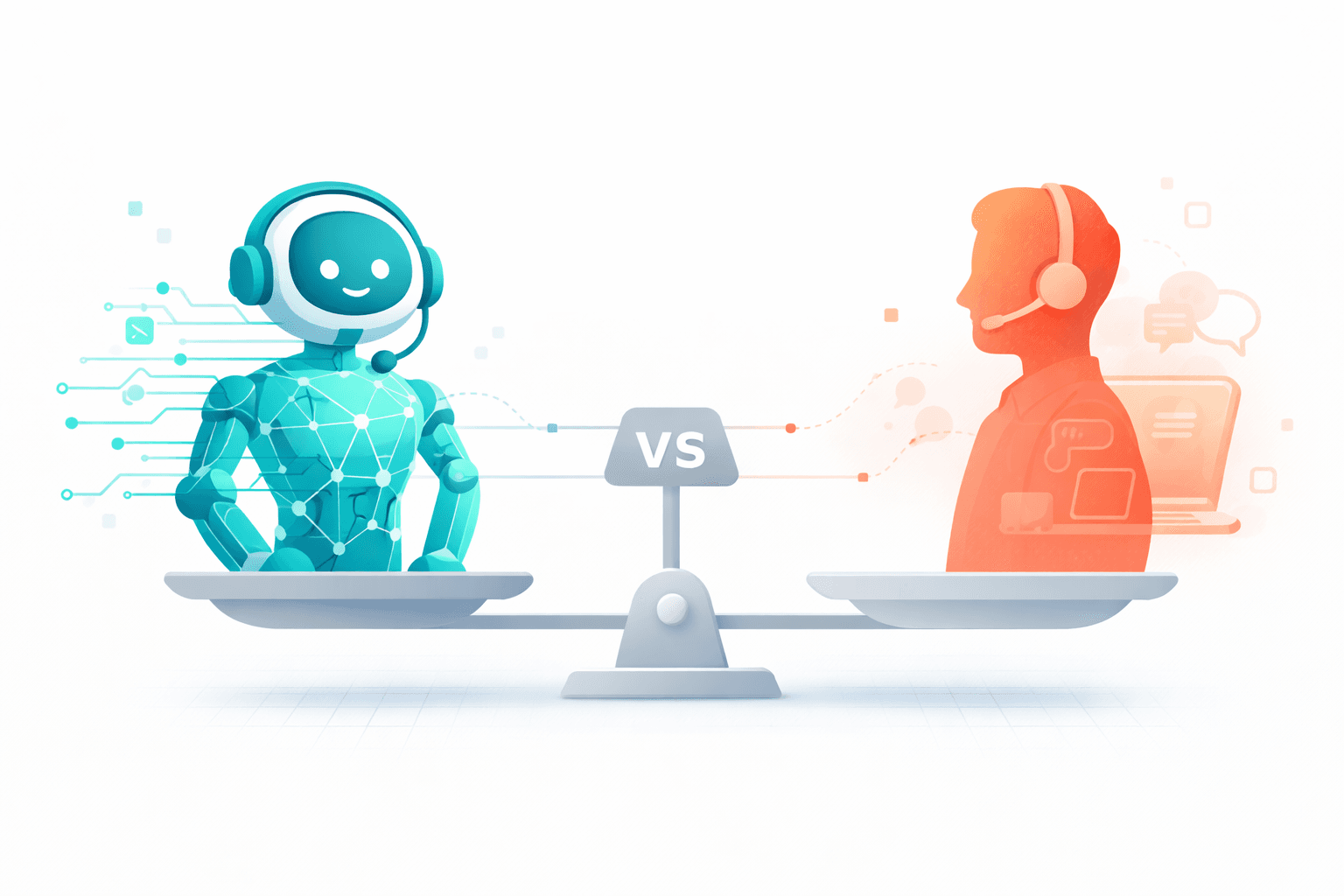
AI Workers vs Virtual Assistants: Which Is Right for Your Small Business?
Comparing AI Workers and virtual assistants for UK small businesses. Understand the costs, capabilities, and limitations of each to make the right choice for your business.