
I'm Drowning in Admin: How to Reclaim 15 Hours a Week as a Small Business Owner
It's 9pm on a Tuesday. You've been "finishing up" for three hours. Your inbox still has 47 unread messages. Tomorrow's schedule is a mess. That invoice from two weeks ago still hasn't been sent. And somewhere in the chaos, you were supposed to eat dinner.
Sound familiar?
You didn't start a business to spend your life on admin. You had a skill, a service, a product—something valuable to offer. Yet here you are, buried under emails, invoices, scheduling conflicts, and endless small tasks that devour your days.
This guide is for you. Not theory. Not platitudes about "working smarter." Practical steps to reclaim 15 hours every week—time you can spend growing your business, serving customers, or simply having a life outside work.
Why Admin Consumes Small Business Owners
Before fixing the problem, let's understand why it's so common.
Large companies have departments. Marketing handles marketing. Finance handles finance. HR handles HR. Receptionists answer phones. Assistants manage calendars.
You have yourself.
Every function that would occupy entire teams in larger organisations lands on your desk. You're the CEO, the salesperson, the accountant, the customer service rep, the marketing department, and the office administrator—often simultaneously.
The maths is brutal. If each business function requires just 5 hours weekly of administrative attention, and you're handling six functions, that's 30 hours before you've done any actual work.
Add the constant context-switching—jumping from customer email to invoice to social media to supplier call—and your productivity plummets further. Research suggests context-switching can consume 40% of productive time.
No wonder you're drowning.
The 15-Hour Audit: Where Your Time Actually Goes
You can't reclaim time you can't see. Before changing anything, you need clarity on where hours actually disappear.
Track Everything for One Week
This step feels tedious. Do it anyway. The insights are worth it.
For five working days, log every task and how long it takes. Use a simple spreadsheet, a notes app, or pen and paper. Don't try to change behaviour yet—just observe.
Log with brutal honesty:
- "Answered emails: 45 minutes"
- "Searched for that document: 20 minutes"
- "Rescheduled appointment: 15 minutes"
- "Chased unpaid invoice: 10 minutes"
- "Scrolled phone while avoiding difficult email: 25 minutes"
Yes, that last one counts. We're after truth, not a flattering picture.
Categorise Your Tasks
After the week, group tasks into categories:
Customer Communication Emails, calls, messages, enquiries, support requests, follow-ups
Scheduling and Coordination Appointments, meetings, calendar management, rescheduling
Financial Administration Invoicing, payment chasing, expenses, bookkeeping, quotes
Marketing and Content Social media, email newsletters, content creation, website updates
Operations and Documentation Filing, searching for information, updating records, general organisation
Actual Client/Customer Work The thing you actually get paid to do
Calculate the Damage
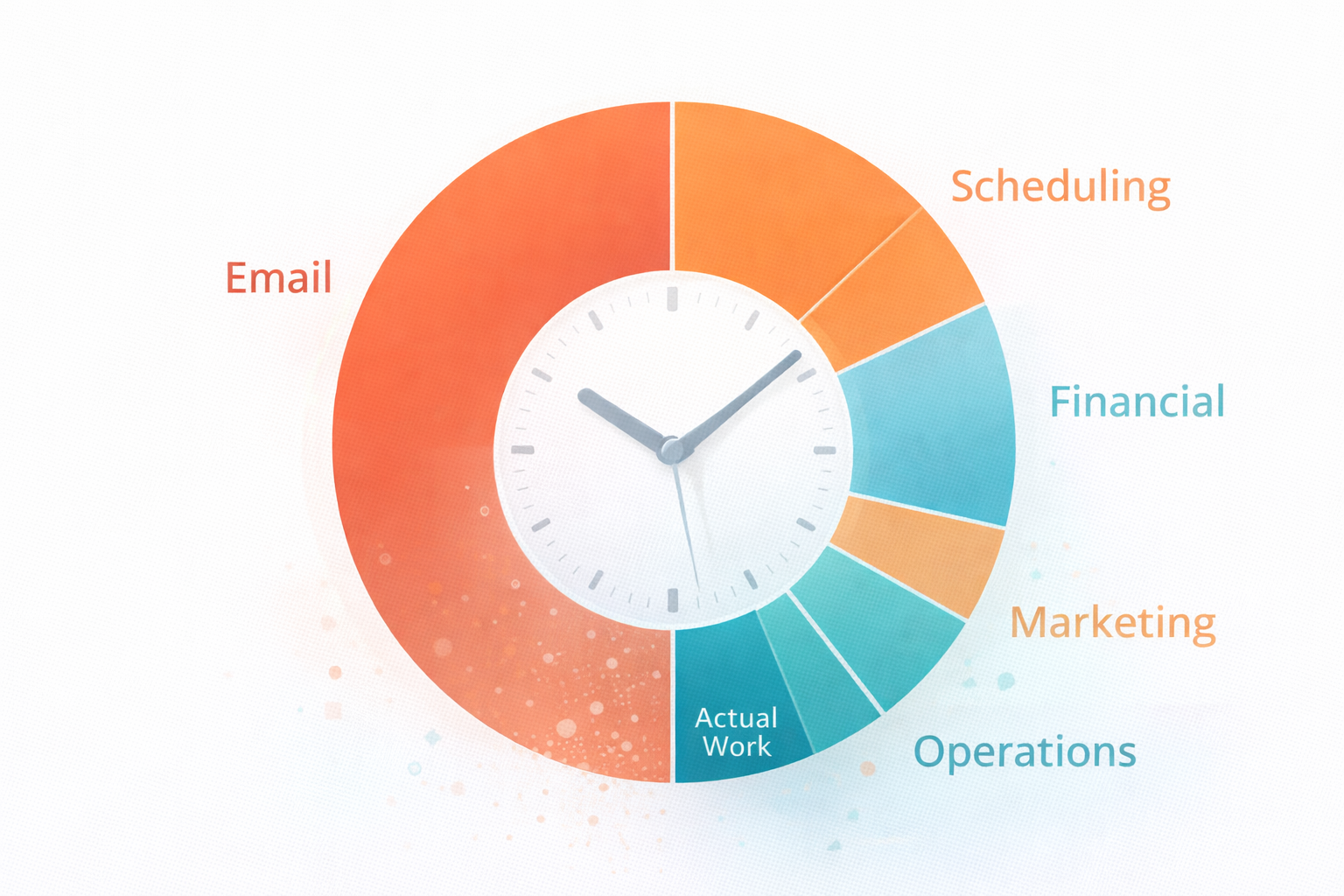
Add up each category. For most small business owners, the results are sobering:
- Customer communication: 8-12 hours/week
- Scheduling: 3-5 hours/week
- Financial admin: 4-6 hours/week
- Marketing: 3-5 hours/week
- Operations: 3-5 hours/week
- Total admin: 21-33 hours/week
That leaves 15-27 hours for actual revenue-generating work in a 48-hour week. And you're probably working more than 48 hours.
The Reclaim Framework: Seven Areas, 15 Hours
Here's where we fight back. Each section targets a specific time drain with practical solutions. You don't need to implement everything—pick the areas consuming most of your time.
1. Email: Reclaim 4-6 Hours Weekly
Email is the great devourer of small business time. The average professional spends 28% of their workday on email. For business owners handling everything, it's often higher.
The Problems:
- Constant checking interrupts focused work
- Same questions answered repeatedly
- Long email chains that should be quick conversations
- Messages requiring action buried among noise
The Solutions:
Batch your email processing. Check email at set times—perhaps 9am, 1pm, and 5pm—rather than constantly. Turn off notifications between sessions. This alone can save 1-2 hours daily through reduced context-switching.
Create template responses. Identify your 10 most common email types. Write template responses for each. Most email apps support templates or canned responses. Sending a template takes 30 seconds versus 5 minutes composing fresh.
Use an AI email responder. Modern AI tools can handle routine enquiries automatically—business hours, pricing questions, availability checks. You review and approve rather than write from scratch. This can eliminate 50-70% of email composition time.
Implement the two-minute rule. If an email takes less than two minutes to handle, do it immediately. If it takes longer, schedule time for it. This prevents small tasks accumulating into overwhelming backlog.
Unsubscribe aggressively. That newsletter you never read? Unsubscribe. Those notifications from tools you barely use? Turn them off. Reducing inbox volume reduces processing time.
Time saved: 4-6 hours weekly
2. Scheduling: Reclaim 2-3 Hours Weekly
The back-and-forth of scheduling is maddening. "Are you free Tuesday?" "No, how about Thursday?" "Morning or afternoon?" "Actually, something came up..."
The Problems:
- Multiple messages to arrange single meetings
- Double-bookings and conflicts
- No-shows wasting prepared time
- Time zone confusion with remote clients
The Solutions:
Use online booking software. Tools like Calendly, Acuity, or YouCanBookMe let clients see your availability and book directly. One link replaces dozens of messages. Setup takes 30 minutes; time saved is permanent.
Set booking boundaries. Only offer appointments during specific windows. "Meetings are available Tuesday-Thursday, 10am-4pm." This batches interruptions and protects focused work time.
Automate reminders. Booking software sends automatic confirmations and reminders. No-show rates typically drop 30-50% with reminder sequences.
Build buffer time. Schedule 15-minute gaps between appointments. This prevents cascade delays when meetings run over and gives you transition time.
Batch similar meetings. Group similar appointment types on specific days. All sales calls on Tuesday. All client reviews on Thursday. This reduces mental context-switching.
Time saved: 2-3 hours weekly
3. Invoicing and Payments: Reclaim 2-3 Hours Weekly
Sending invoices and chasing payments is tedious but essential. Late nights reconciling accounts and awkward payment reminder emails drain time and energy.
The Problems:
- Manual invoice creation takes time
- Forgetting to send invoices delays payment
- Chasing overdue payments is uncomfortable
- Reconciling payments with bank accounts is tedious
The Solutions:
Automate invoice generation. Accounting software like Xero, QuickBooks, or FreeAgent can generate invoices automatically when jobs complete or on recurring schedules. Set it once; it runs forever.
Enable instant payment. Include payment links in every invoice. When paying takes two clicks rather than a bank transfer, payment speed improves dramatically. Stripe, GoCardless, and similar services integrate with most accounting platforms.
Automate payment reminders. Schedule automatic reminders at 7 days overdue, 14 days, and 21 days. The software sends polite chases without your involvement. Most late payments result from oversight—reminders prompt quick action.
Reconcile weekly, not monthly. Spending 20 minutes weekly on bank reconciliation is easier than 3 hours monthly battling a month's transactions. Regular small efforts beat occasional large ones.
Consider direct debit for recurring clients. For ongoing relationships, direct debit eliminates chasing entirely. You get paid automatically; clients don't need to remember.
Time saved: 2-3 hours weekly
4. Customer Enquiries: Reclaim 3-4 Hours Weekly
New enquiries should be exciting—potential business! Instead, they often feel like another demand on limited time. And slow responses lose opportunities.
The Problems:
- Same questions asked repeatedly
- Enquiries arrive at inconvenient times
- Slow responses lose potential customers
- Qualifying tyre-kickers wastes time
The Solutions:
Create comprehensive FAQ content. Answer common questions on your website. Detailed service pages, pricing guidance, and process explanations reduce repetitive enquiries. Good content works 24/7.
Implement an AI Worker for first response. AI can handle initial enquiries instantly—acknowledging receipt, answering common questions, collecting qualifying information. You engage only with serious, qualified prospects.
Use qualification forms. Before scheduling consultations, have prospects complete a short form. Budget range, timeline, specific needs. This filters serious enquiries and prepares you for productive conversations.
Set response time expectations. Your website and auto-responses should indicate when you'll reply. "We respond within 4 business hours" manages expectations and reduces "did you get my message?" follow-ups.
Batch enquiry handling. Rather than responding to each enquiry as it arrives, process them in batches twice daily. This maintains reasonable response times while protecting focused work.
Time saved: 3-4 hours weekly
5. Social Media and Marketing: Reclaim 2-3 Hours Weekly
Marketing matters, but endless scrolling disguised as "engagement" doesn't. Many business owners spend hours on social media with little to show for it.
The Problems:
- Content creation takes longer than expected
- Posting consistently requires daily attention
- Easy to get sucked into scrolling
- Hard to measure what's actually working
The Solutions:
Batch content creation. Dedicate one session weekly or monthly to creating content. Write multiple posts at once. This focused approach produces better content faster than daily scrambling.
Schedule posts in advance. Tools like Buffer, Hootsuite, or native platform schedulers let you queue content. One hour of scheduling covers a week of posts.
Repurpose ruthlessly. One piece of content becomes many. A blog post becomes social media snippets, an email newsletter section, and talking points for videos. Stop creating from scratch.
Set time limits. Use a timer for social media. 20 minutes for engagement, then close the app. Phones can enforce app time limits. Respect them.
Focus on one or two platforms. Being mediocre everywhere beats being excellent nowhere? No. Being excellent somewhere beats being mediocre everywhere. Choose platforms where your customers actually are.
Automate where possible. AI tools can draft social posts, suggest hashtags, and even respond to simple comments. Human review ensures quality; AI handles volume.
Time saved: 2-3 hours weekly
6. Document and Information Management: Reclaim 1-2 Hours Weekly
"I know I saved that somewhere..." Time spent searching for documents, recreating lost files, and maintaining disorganised systems adds up silently.
The Problems:
- Files scattered across devices and platforms
- Inconsistent naming makes search difficult
- Important information buried in email threads
- Recreating documents that exist somewhere
The Solutions:
Centralise storage. Choose one cloud storage system—Google Drive, Dropbox, OneDrive—and put everything there. One location to search beats five locations to check.
Create consistent naming conventions. "[Client]-[Project]-[Type]-[Date]" beats "Final_v2_REAL_final.docx". Future you will thank present you.
Build template libraries. Contracts, proposals, email templates, checklists—anything you create repeatedly should be templated. Starting from a template beats starting from blank.
Use search, not folders. Modern cloud storage has powerful search. Rather than elaborate folder structures, use consistent naming and search. Finding is faster than navigating.
Document processes. Write down how you do recurring tasks. When you can't remember the steps or need to delegate, documentation saves hours of reinvention.
Time saved: 1-2 hours weekly
7. Decision Fatigue and Context-Switching: Reclaim 2-3 Hours Weekly
Not all time loss is visible. Mental exhaustion from constant small decisions and switching between tasks drains productivity even when you're "working."
The Problems:
- Every small decision depletes mental energy
- Switching between tasks has hidden costs
- Reactive work crowds out important work
- No clear priorities means everything feels urgent
The Solutions:
Create routines and defaults. Decide once, then follow the system. Same morning routine. Same email processing times. Same meeting structures. Routine eliminates decision fatigue.
Time-block your calendar. Assign specific times to specific work types. "9-11am: focused client work. 11-12: admin and email. 1-3pm: appointments." Structure prevents reactive chaos.
Batch similar tasks. Handle all invoicing together. Answer all emails together. Make all phone calls together. Batching reduces switching costs.
Protect peak hours. Identify when you do your best work. Protect those hours ruthlessly for high-value activities. Admin can happen during lower-energy periods.
Use "office hours" for availability. Rather than being interruptible all day, set specific times when you're available for calls and questions. Communicate these boundaries clearly.
Do the hardest thing first. Start each day with your most important or most dreaded task. Accomplishing it early prevents it haunting you and builds momentum.
Time saved: 2-3 hours weekly
Your Reclaim Action Plan
Theory is worthless without action. Here's how to actually implement these changes.
Week 1: Audit
Track your time this week using the method described above. Don't try to change anything yet—just observe and record. Identify your top three time drains.
Week 2: Quick Wins
Implement the fastest solutions for your biggest time drains:
- Set up email batching times
- Create booking link with Calendly or similar
- Enable automatic payment reminders
- Unsubscribe from unnecessary emails
These changes require minimal setup and deliver immediate results.
Week 3: System Building
Implement solutions requiring more setup:
- Create email templates for common responses
- Set up social media scheduling
- Organise cloud storage and naming conventions
- Build or update FAQ content on your website
Week 4: Automation
Introduce tools that handle tasks automatically:
- AI Worker for customer enquiries
- Automated invoice generation
- Social media content scheduling
- Document templates for common needs
Ongoing: Protect and Optimise
- Review time allocation monthly
- Adjust boundaries as needed
- Add automation as new opportunities emerge
- Guard reclaimed time jealously—don't let admin creep back
What To Do With Your Reclaimed 15 Hours
Finding 15 hours is only valuable if you use them well. Here's how not to waste your reclaimed time.

Don't fill it with more admin. The goal isn't to do admin more efficiently so you can do more admin. Protect reclaimed time for higher-value activities.
Invest in growth. Strategic thinking, relationship building, product development, marketing initiatives—activities that grow your business rather than just maintaining it.
Improve your offering. With breathing room, you can enhance what you deliver to customers. Better service commands better prices.
Take care of yourself. Working 60 hours instead of 75 hours is still working 60 hours. Use some reclaimed time for rest, exercise, family, and activities that sustain you.
Consider what got you here. Remember why you started your business. Reclaimed time can go toward the work you actually enjoy and do best.
When You Need More Than Tips
Sometimes, despite best efforts, admin still overwhelms. If you've implemented these strategies and still struggle, consider structural solutions.
Hire help. A part-time administrator, even just 5-10 hours weekly, can transform your capacity. Virtual assistants offer flexible, cost-effective support.
Implement an AI Worker. AI Workers handle significant volumes of routine work around the clock—customer enquiries, scheduling, basic admin—at a fraction of human staff costs.
Outsource specific functions. Bookkeeping, social media management, customer service—individual functions can be outsourced to specialists who handle them efficiently.
Raise your prices. If you're working maximum hours and still drowning, your prices may be too low. Higher prices mean fewer clients needed for the same revenue, meaning less admin per pound earned.
Say no more often. Not every opportunity deserves a yes. Not every request needs accommodation. Protecting your time sometimes means declining requests that don't align with priorities.
The Real Goal: Building a Business That Works
Admin overwhelm isn't just about time. It's about building a sustainable business that doesn't destroy you.
The changes in this guide aren't just productivity hacks. They're steps toward a business that functions as a system rather than depending entirely on your constant effort.
Systems create freedom. When enquiries handle themselves, invoices send themselves, and scheduling happens automatically, you're no longer a bottleneck. You're an owner, not just a worker.
The 15 hours you reclaim this week are just the beginning. Each system you build, each task you automate, each process you streamline compounds over time.
Start today. Pick one section from this guide. Implement one change. Then another. Then another.
Your future self—the one with evenings free, weekends clear, and a business that works—will thank you.
Frequently Asked Questions
How long does it take to actually reclaim 15 hours per week?
Most business owners see significant time savings within 2-4 weeks of implementing these strategies. Quick wins like email batching and online booking show results immediately. More substantial automation takes longer to set up but delivers greater ongoing savings. Expect to invest 5-10 hours initially in setup to reclaim 15+ hours weekly thereafter.
What if I can't afford automation tools?
Start with free options. Email batching costs nothing. Calendly has a free tier. Google Drive provides free storage. Many accounting platforms include basic automation in standard subscriptions. Focus on process changes first—batching, templates, boundaries—then add paid tools as budget allows. The ROI typically justifies the cost quickly.
I've tried time management before and it didn't stick. How is this different?
This guide focuses on eliminating and automating tasks rather than just managing them more efficiently. Traditional time management tries to help you do the same work faster. This approach removes work entirely through automation and systems. Less willpower required; more permanent change achieved.
What's the single most impactful change for most small business owners?
Online booking for appointments and email batching tie for first place. Both provide immediate, significant time savings with minimal setup. If you implement nothing else from this guide, implement these two. Combined, they typically save 5-8 hours weekly.
Won't my customers expect immediate responses if I batch emails?
Customers expect reasonable responses, not instant ones. Responding within 4-8 business hours satisfies most expectations. Set clear expectations through auto-replies and website information. For genuinely urgent matters, provide a phone number. Most "urgent" emails aren't actually urgent.
How do I stop admin creeping back after I've reclaimed time?
Protect reclaimed time deliberately. Block it in your calendar for specific purposes. Review your time allocation monthly to catch creep early. When new admin demands appear, ask whether they can be automated, delegated, or eliminated rather than simply absorbed.
Is it worth hiring help for just a few hours weekly?
Absolutely. Even 5 hours weekly of administrative support can transform your capacity. Virtual assistants offer flexible arrangements starting from just a few hours weekly. Calculate the value of your time—if your hourly value exceeds the VA's rate, delegation makes economic sense.
What tasks should I never try to automate or delegate?
Keep tasks requiring your unique expertise, judgment, or relationship: key client relationships, strategic decisions, creative direction, quality control for important deliverables, and sensitive communications. Automate or delegate everything else that doesn't require you specifically.
How do I know if I need an AI Worker versus just better systems?
If your volume is low (under 20 enquiries weekly, minimal invoicing), better systems and manual processes may suffice. If volume is higher or growing, if you need 24/7 responsiveness, or if you're spending more than 10 hours weekly on routine communication and admin, AI Workers deliver substantial value.
My business is different—these tips won't work for my industry.
The specific tools may vary, but the principles apply universally. Every business has repetitive tasks that can be templated, scheduling that can be automated, and financial admin that can be streamlined. Adapt the strategies to your context rather than dismissing them. The business owners who claim "it's different for me" are often those most in need of these changes.

TheyWork Team
TheyWork gives small UK businesses an AI-powered worker that finds leads, writes content, responds to reviews, and handles admin — so you can focus on growing.
Ready to try an AI Worker?
Get your own AI worker that finds leads, writes content, and handles admin. Start free for 7 days.
Get startedMore from the blog

AI for Estate Agents: How UK Agencies Can Qualify Leads and Book More Viewings Without Hiring More Admin
A practical guide for UK estate agents on using AI to respond faster, qualify leads, and book more viewings while reducing admin workload and missed opportunities.

Is AI Safe for My Small Business? Data Security and GDPR Explained
A straightforward guide to AI safety for UK small businesses. Understand data security, GDPR compliance, and how to use AI tools confidently without putting your business at risk.